
Merchant Programme
Bring organisations to LAINNOV and earn a share of the platform fee on every payment they take: 20% to start, up to 30% as you grow, for 12 months from each client’s first payment. Screenshots use a made-up merchant and made-up clients.
This guide covers applying, sharing your link, how your share is worked out, what your clients do, and getting paid. The public page is at services.lainnov.com/merchants.
How the programme works
LAINNOV keeps a small platform fee on the payments organisations take through its services. As a merchant, you earn a share of that fee on the organisations you bring. Your clients pay exactly what everyone else pays: your commission comes out of LAINNOV’s fee, never on top of it.
There are two ways to earn:
| Way | What counts | For how long |
|---|---|---|
| Clients you bring | Every payment taken by an organisation that signed up with your link or code: registration forms and dues, event tickets, paid voting and donation campaigns. | 12 months from that client’s first payment. |
| Client work you run | Forms and events you set up yourself, on your own account, for a client, when you mark them as client work. | For as long as you are a merchant. |
You never handle your clients’ money. They have their own accounts and receive their own collections. LAINNOV pays your commission to you separately.
Apply to become a merchant
- Create a LAINNOV account, or sign in to the one you have.
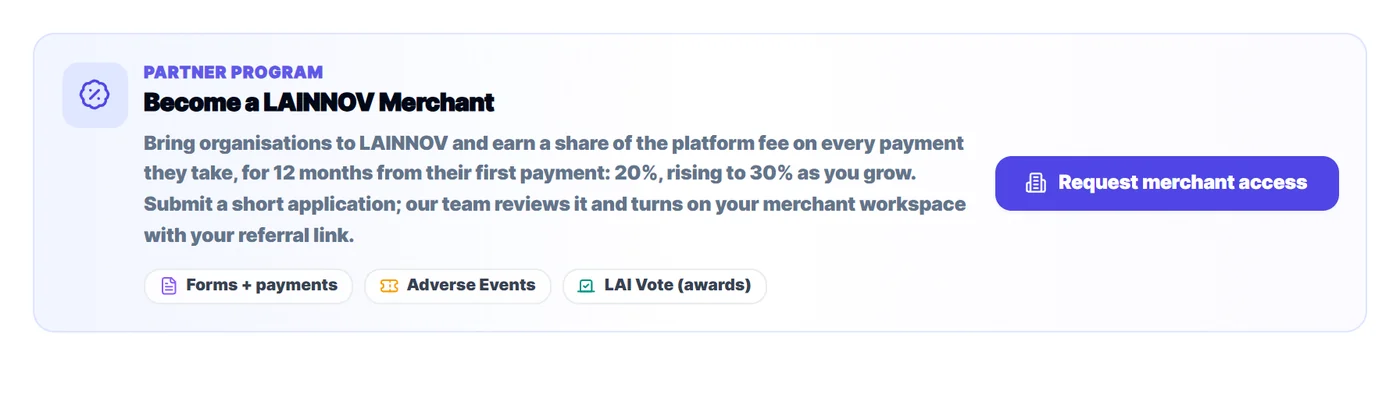
- On your dashboard, find Become a LAINNOV Merchant and press Request merchant access.
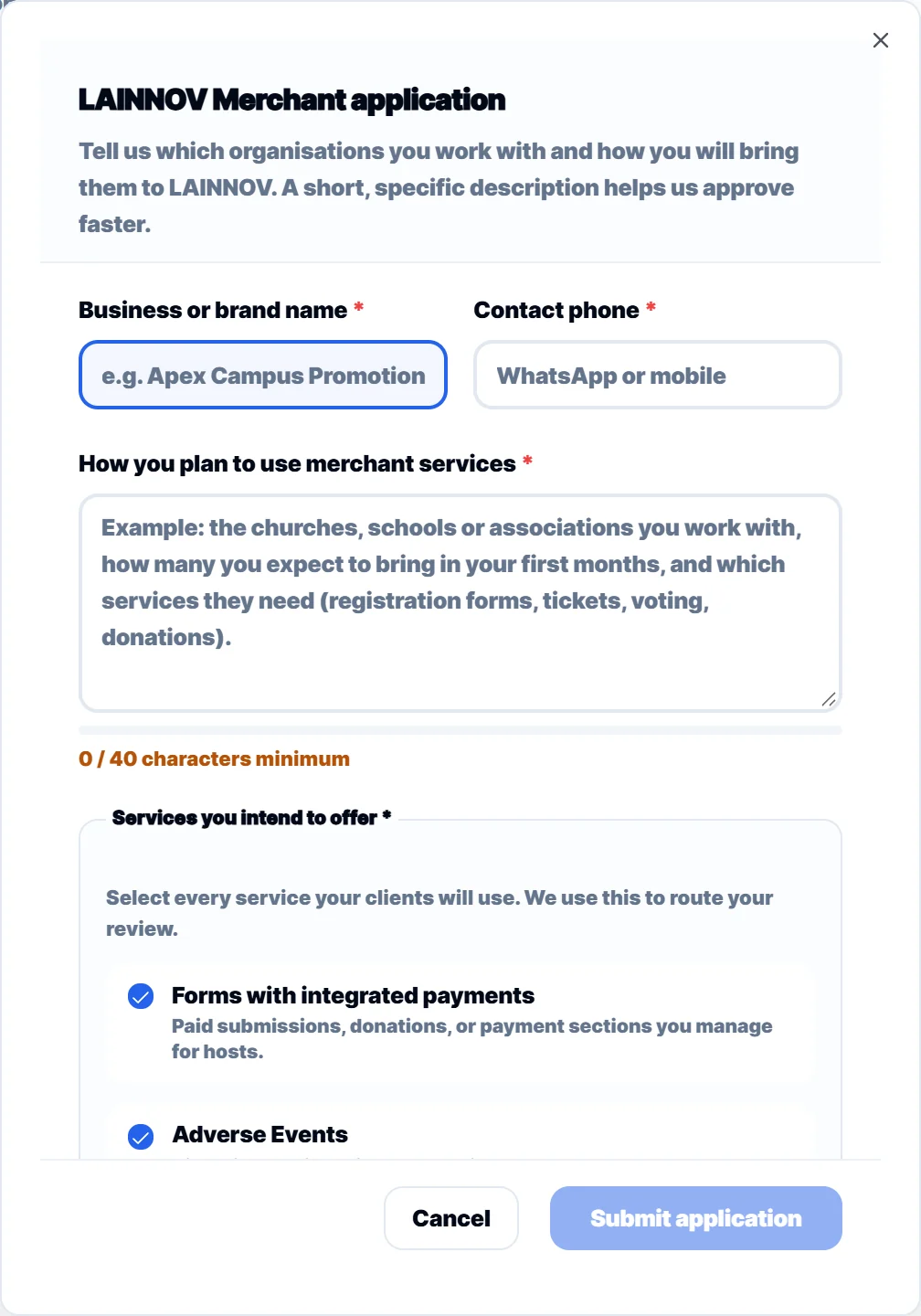
- Enter your business or brand name and a phone number we can reach you on.
- Describe the organisations you work with, how many you expect to bring, and which services they need. Be specific: it helps us approve you faster.
- Tick the services your clients will use and press Submit application.
While we review it, the card says Application under review. Once approved, the card changes to Merchant workspace. If the card says Coming soon, applications have not opened yet; it shows the date they open.
Share your link and code
Open your Merchant workspace and choose Clients & referrals. Under Your referral link you have two things to share:
- Sign-up link: the easiest. An organisation that opens it and creates an account is linked to you automatically, and its sign-up page says it was invited by you.
- Referral code: seven letters and numbers, for when a link is awkward (a phone call, a printed flyer). The organisation types it on its dashboard after signing up.
Use the copy button next to each one. Share them with organisations that are not on LAINNOV yet.
Help your client set up their first form or event. They start earning for you at their first payment, so the sooner they collect, the sooner you earn.
Invite by email
We can email an organisation for you. The email comes from LAINNOV, carries your sign-up link, and any reply goes straight to your own email address.
- In Clients & referrals, under Invitations, press Invite by email.
- Enter the organisation’s email address and, if you like, its name and a short note (up to 500 characters). Leave web and email addresses out of the note: your sign-up link is added for you.
- Press Send invitation.
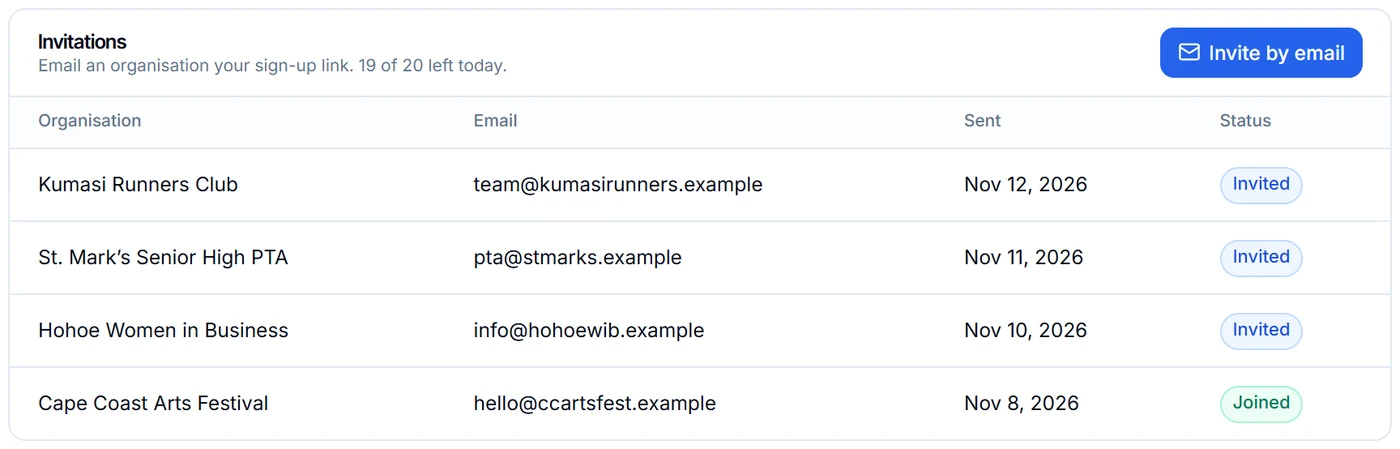
- You can send up to 20 invitations a day and 200 in 30 days, and invite the same address once every 14 days.
- Every invitation has an Unsubscribe link. An address that uses it gets no more invitations from any merchant.
- An invitation does not make an organisation your client. It becomes your client when it signs up with your link or adds your code.
How your share is worked out

Your share is a percentage of the platform fee LAINNOV collects on each payment. It depends on how many active clients you have: clients who took a payment in the last 90 days.
| Tier | Active clients | Your share of the fee |
|---|---|---|
| Starter | 0 to 4 | 20% |
| Growth | 5 to 14 | 25% |
| Partner | 15 or more | 30% |
Your tier is checked on every payment, so it rises as soon as you reach the next level. The line under your figures says how many more active clients the next tier needs. LAINNOV may agree a different share with a merchant; your workspace then shows Agreed rate.
Payments in a currency other than Ghana cedis do not earn commission.
Your clients
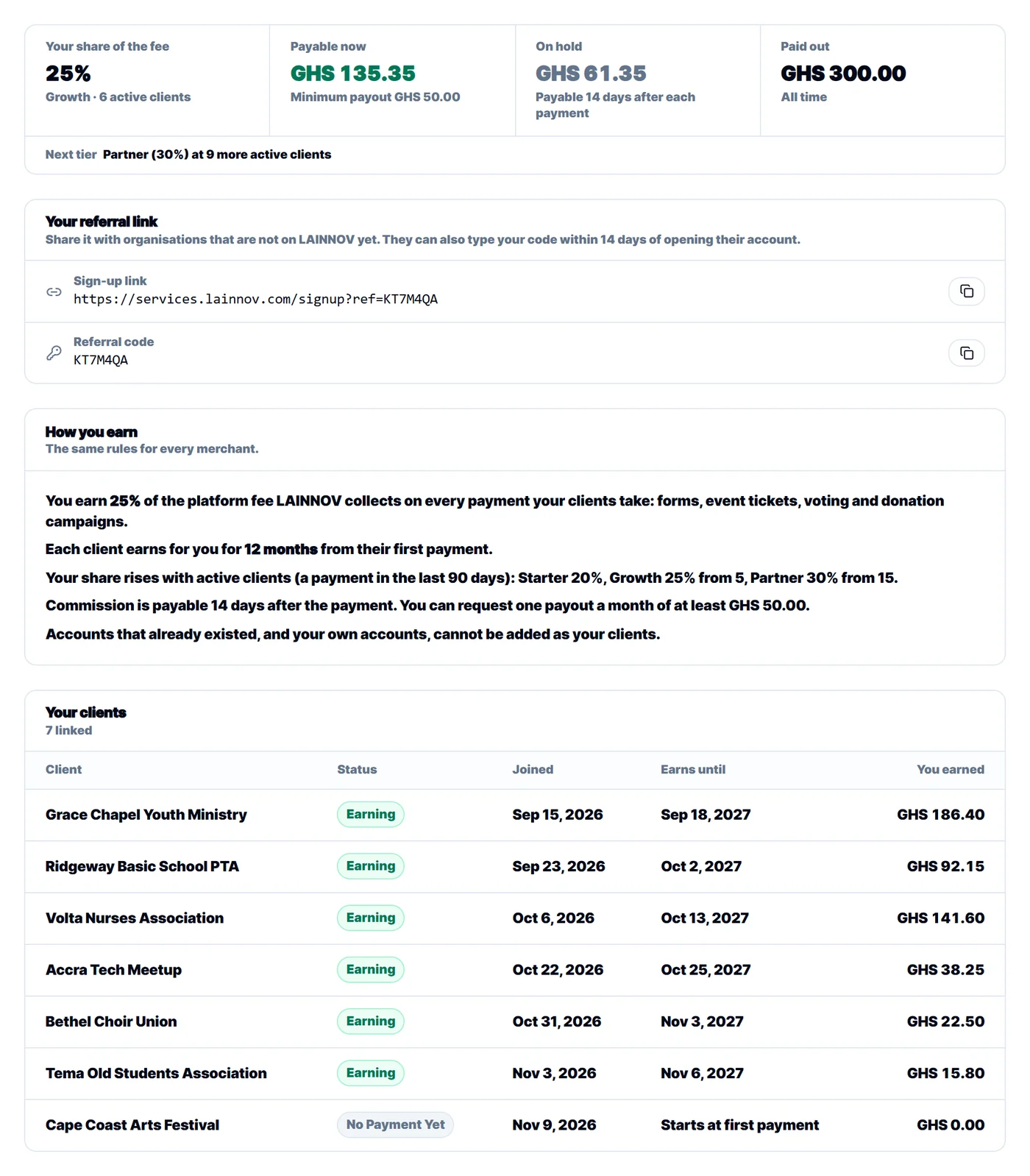
The Your clients table lists every organisation linked to you:
| Column | What it means |
|---|---|
| Status | No payment yet: linked, but has not collected yet. Earning: inside its 12 months. Window ended: its 12 months are over. |
| Joined | When the client was linked to you. |
| Earns until | The end of the client’s 12 months. It shows Starts at first payment until the client collects. |
| You earned | Your commission from this client so far, after any refunds. |
Which clients count
- An organisation that opens a new account with your link, or adds your code within 14 days of signing up and before its first payment.
- Each organisation belongs to one merchant: the first one it signed up with.
- Organisations already on LAINNOV cannot be added, even if you introduced them earlier.
- Your own accounts cannot be your clients. An account that shares your phone number or your payout account is refused.
If a client was linked to the wrong merchant, contact us. Only LAINNOV can move a client, and every move is recorded.
Client work you run yourself
If you set up a form or an event for a client on your own account, mark it as client work so it earns on the same terms.
- Forms: in the form builder’s settings, under Integrations, turn on LAINNOV merchant commission. The form must take payments.
- Events: in the event’s settings, turn on LAINNOV merchant commission. The event needs at least one paid ticket.
For your clients: linking to a merchant
There are two ways for a new organisation to link to the merchant who invited it:
- With the link: open the merchant’s sign-up link and create the account. The page shows who invited you, and the link is made when you first sign in.
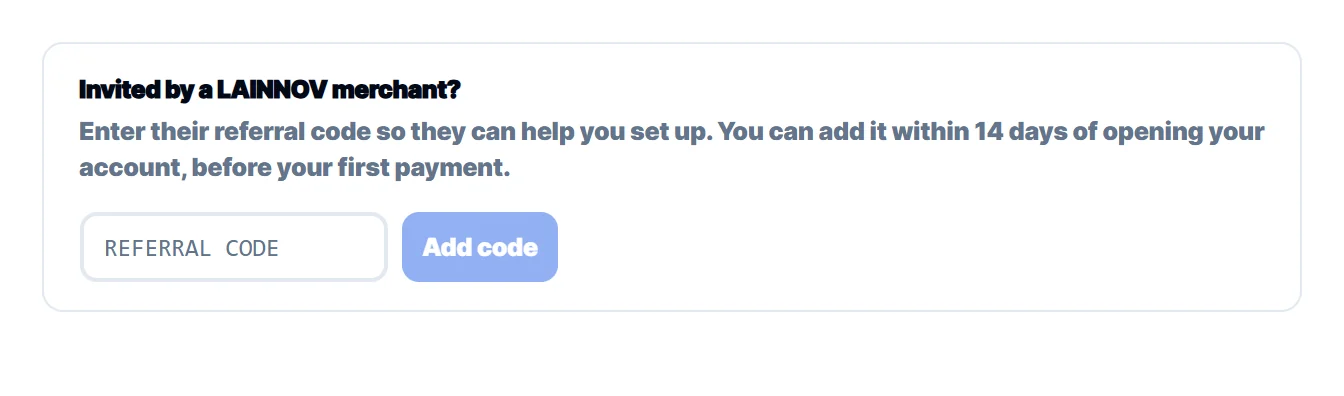
- With the code: after signing up, find Invited by a LAINNOV merchant? on your dashboard, type the code and press Add code.
Being linked to a merchant costs the organisation nothing. Its fees are the same as for every other organisation, and its money is paid only to its own account.
Getting paid
- Commission becomes payable 14 days after the payment it came from. Until then it shows as On hold. The wait covers the time in which a payer can ask for a refund.
- You can request one payout a month, of at least GHS 50.
- Payouts go to the payout account in your profile, under Payment. Set it up before your first request.
- In your merchant workspace, press Request payout.
- Enter an amount up to what is Payable now, and a note if you want.
- Press Submit request. Our finance team reviews it and sends the money. Its progress shows under Payout requests.
Refunds after you were paid
If a payment is refunded, the commission on it is taken back. If that commission was already paid out to you, your workspace shows it as Owed back, and it is taken from your next commission before anything becomes payable again. You never need to send money back yourself.
Statements
Press Statement at the top of your merchant workspace, choose a month (or your own dates), then download it as a PDF or a spreadsheet. A statement shows:
- the balance brought forward from before the period;
- each commission earned, with the client, the service and your share;
- each commission taken back after a refund, and each payout paid to you;
- the balance carried forward, and how much of your balance is payable now, on hold, or in a payout request.
Statements show your commission only, never the amounts your clients collected.
Questions
Does it cost anything to join?
No. Joining is free and there is nothing to buy.
Can I see my clients’ collections?
No. You see each client’s name, status and what it has earned you. Their payments and their payers stay private to them.
What happens after a client’s 12 months?
The client keeps using LAINNOV as before; its payments simply stop earning for you. Keep bringing new organisations to keep your share and your tier up.
Who do I contact?
Write to support@lainnov.com with your business name and, if it is about a client, the client’s name.